A spellbook of record for the world you're building.

Grimoire unifies lore notes, interactive maps, and ambient audio scenes into one local ledger: a focused instrument for Game Masters, from session prep to the live table.

Free and open source (GPL-3.0) for Windows, macOS and Linux. No account, no cloud, no subscription. Still early: releases are numbered 0.x and come often.

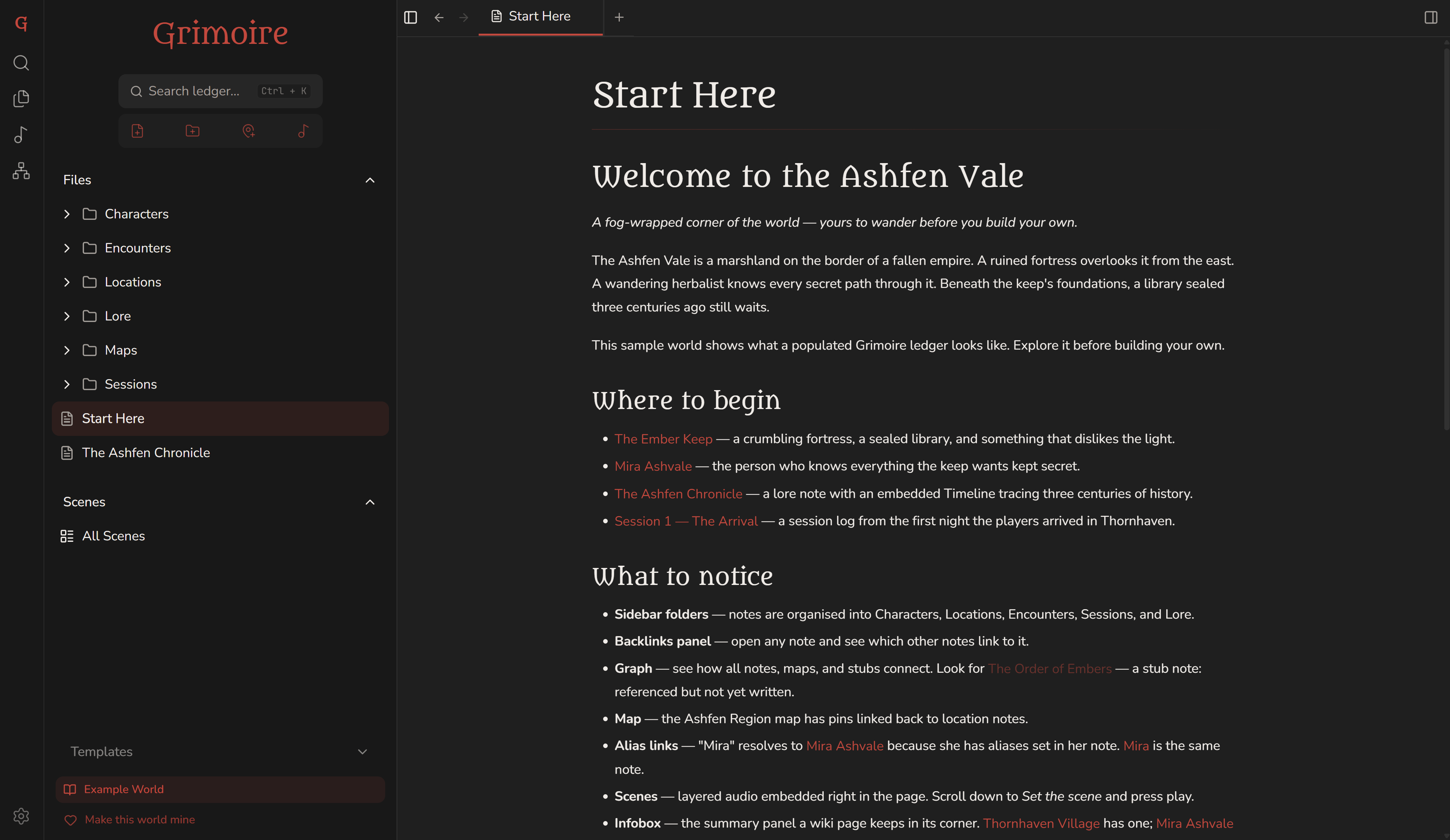
Grimoire with the example ledger, The Ashfen Vale, open: its Start Here note in the editor, beside a sidebar of characters, encounters, locations, lore, maps, sessions and scenes
The Ashfen Vale, the example ledger Grimoire opens with the first time.

The tool disappears. The world remains.

During a live session the interface competes with your imagination; the moment it demands attention, it has already lost. Everything in Grimoire is built to stay out of the way.

The map isn't a picture of your world. It's another way to read it.

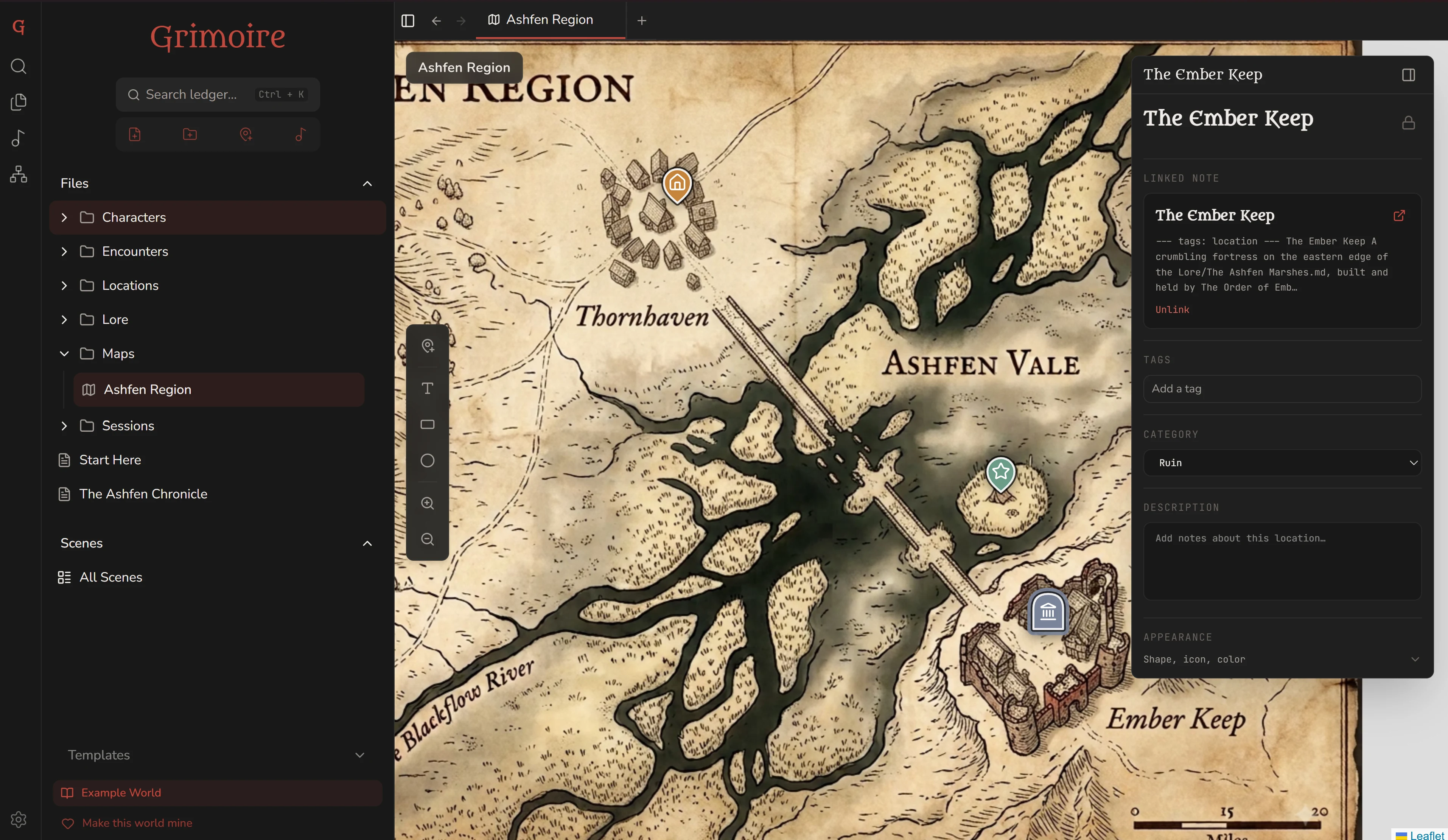
Drop pins for settlements, dungeons and quests, each bound to the location note it marks, so a click on the map opens the lore behind it. Sort pins into categories, outline regions, and label the land in your own words.

  • Pins linked to notes
  • Pin categories
  • Text, rectangle and circle markings
Grimoire's map view: the hand-drawn Ashfen Region map with pins for Thornhaven, a camp out in the marsh, and the Ember Keep. The keep's pin is selected, and a panel beside it shows the location note that pin links to.
The Ember Keep's pin, selected, with the location note it links to.

Sound that lives where the story does.

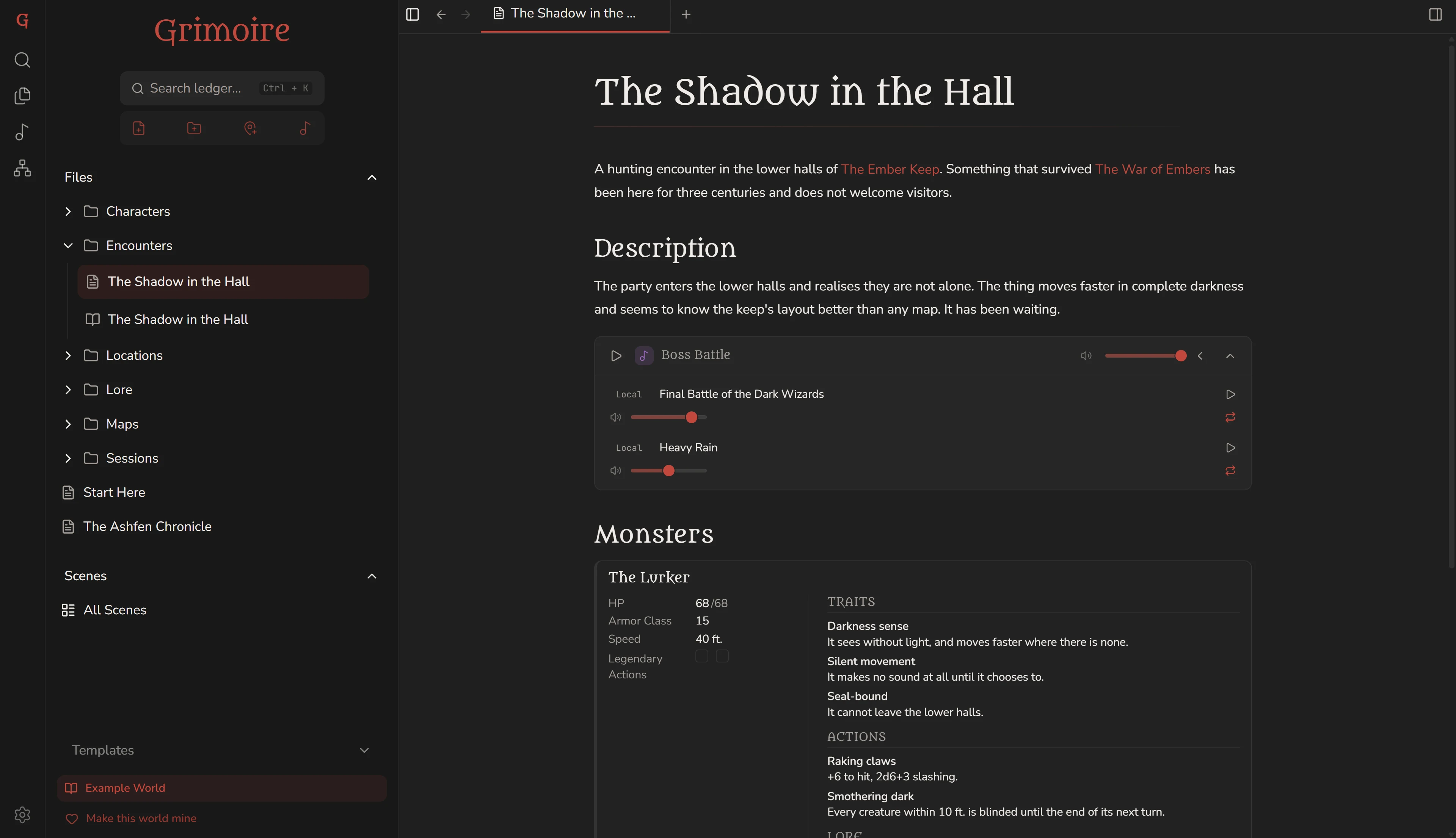
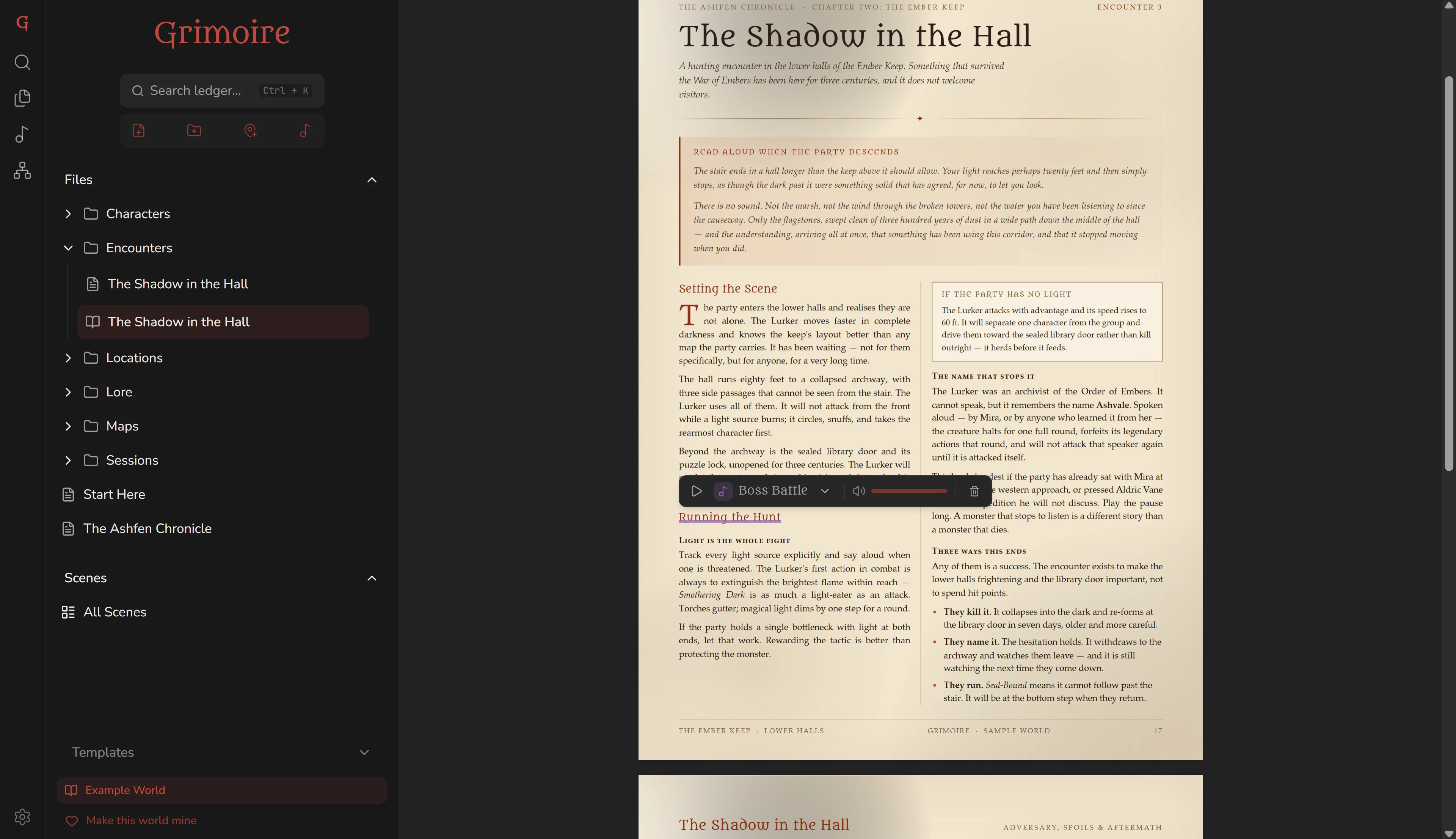
Layer your own audio files and Spotify into named scenes: a storm over the keep, a crowded tavern, the last stand. Then put the sound where the moment lives, embedded in a note or linked to a passage in a PDF, and start it without breaking the fiction or leaving the page.

  • Local audio and Spotify (Premium)
  • Embedded in notes
  • Linked to PDF passages
A Grimoire note open in the editor with an ambient audio scene embedded inline in the Markdown
In a note: a scene sits inline with your prep.
A PDF open in Grimoire with a passage linked to an ambient audio scene
In a PDF: a scene linked to the passage that calls for it.

Plain Markdown, never locked in

A distraction-free editor for lore, NPCs and session logs. Every note is a plain .md file: wiki-links resolve by name, backlinks show who mentions whom, and a link to a page you haven't written yet is waiting to be filled. Start from a template for an NPC, a location, a session log or an encounter.

Built for the table

Statblocks you play from mid-fight, ticking off hit points and conditions as they change. Timelines answer “when?”, infoboxes hold the facts, and one shortcut parks a passing thought as a Quick Note without leaving the scene. One palette finds any note, map or scene.

Local-first, portable, yours

A campaign is a ledger: one folder on your disk. Notes are plain Markdown; maps, pins and scenes are kept in a small database inside the same folder. Move it or back it up and your links come with it. No account, no cloud, no subscription.

Open, and early

Grimoire is free and GPL-3.0. It's a 0.x release, so it changes often, and every release says what changed. Read every line, report a bug or send a fix on GitHub.

Take up the ledger.

The first time Grimoire opens, it shows you The Ashfen Vale, an example ledger to explore. Make your own when you're ready, in a folder you choose. Uninstalling leaves your files exactly where they are.

v0.4.0 · early release · 21 August 2026

Builds aren't code-signed yet, so the first launch shows a warning. How to get past it is beside each download. Rather check first? Read the source on GitHub.